
4 Python Libraries you are not using(but you should!)

Hey There!
There are tens of thousands of Python Libraries for Data Science. Some are very popular and used almost everyday by any Data Scientist, but there are many others that are relatively less known but are extremely useful and can speed up the project workflow and also make you more productive.
Here are 5 libraries that you will definitely find useful and time saving!
PS : It does not include Numpy, Pandas and scikit learn!
Dash
Dash is built on top of Plotly.js, React, and Flask and helps make it easy to use dashboards complete with beautiful Plotly graphs and visualizations. It can be used to make interactive ML and Data Science web applications that can be used to perform various functions on data, manipulate the data and analyze results and see different ML models in action deployed on an interactive web platform.
If you love data science and want to show your work in a concise clear manner but just don’t have the time or interest to learn web development, this package is for you. Creating web applications in python has never been easier, check out Dash to make your own Data Science web app now!
What’s more interesting is that it also provides Kubernetes Scaling, Hardware Acceleration Capabilities and real time app analytics with SEO!
I highly recommend using Dash to build a web interface for your next Data Science Project!
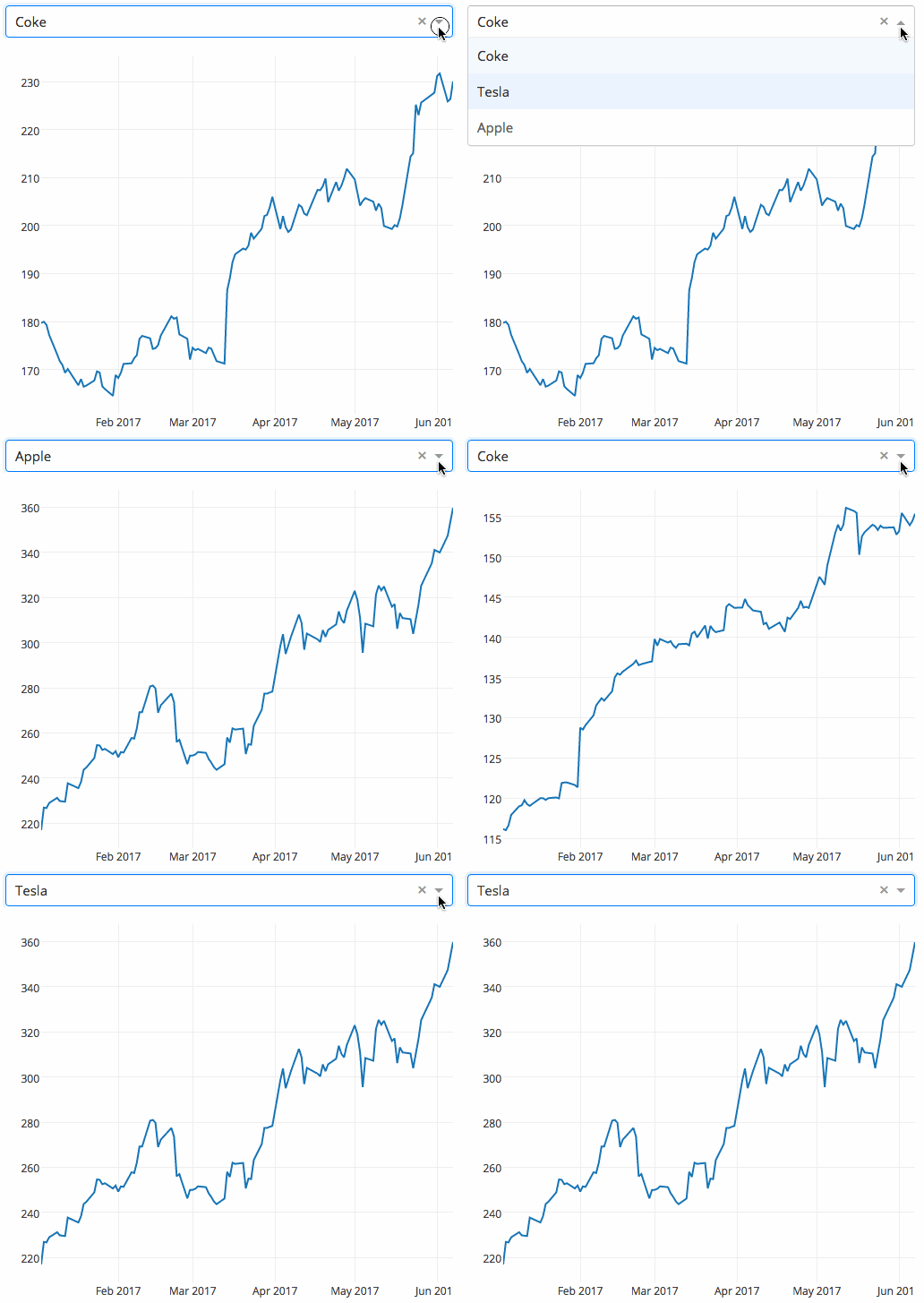
Here is an example of how a user selects a company from a dropdown, the application code dynamically feeds data from Google Finance.
Another similar library you can use is Streamlit.
Pycaret
If there is one library that I really recommend you to use right now hands down, its Pycaret.
PyCaret is an open source, low-code machine learning library in Python that allows you to go from preparing your data to deploying your model within minutes in your choice of notebook environment.

Key Features :
1. Data Preparation with ease
Whether its a personal Data Science Project or an enterprise one, PyCaret can help with transforming categorical data, imputing missing values, feature engineering, feature selection and also Hyperparameter tuning of ML Models. Data Preparation is often a make or break step in the Data Workflow and Pycaret can easily help you in the process.
2. Analyzing Model Performance
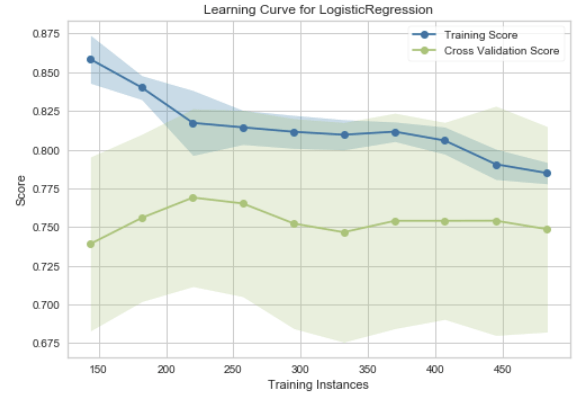
Analyzing the performance of a trained machine learning model is very critical step in the machine learning workflow. With over 60 plots available in PyCaret, you can now evaluate and explain model performance and results instantaneously without the need to write complex code.
I will be publishing more articles on using PyCaret, stay tuned for that by Subscribing to DataDemystified.
PyCaret Docs : Link
FlashText
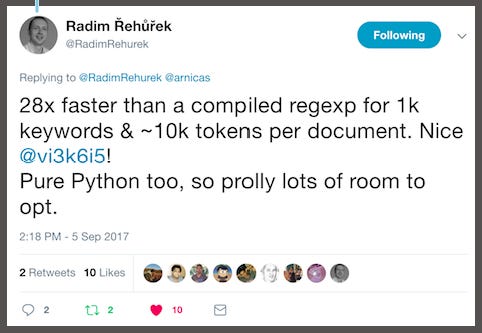
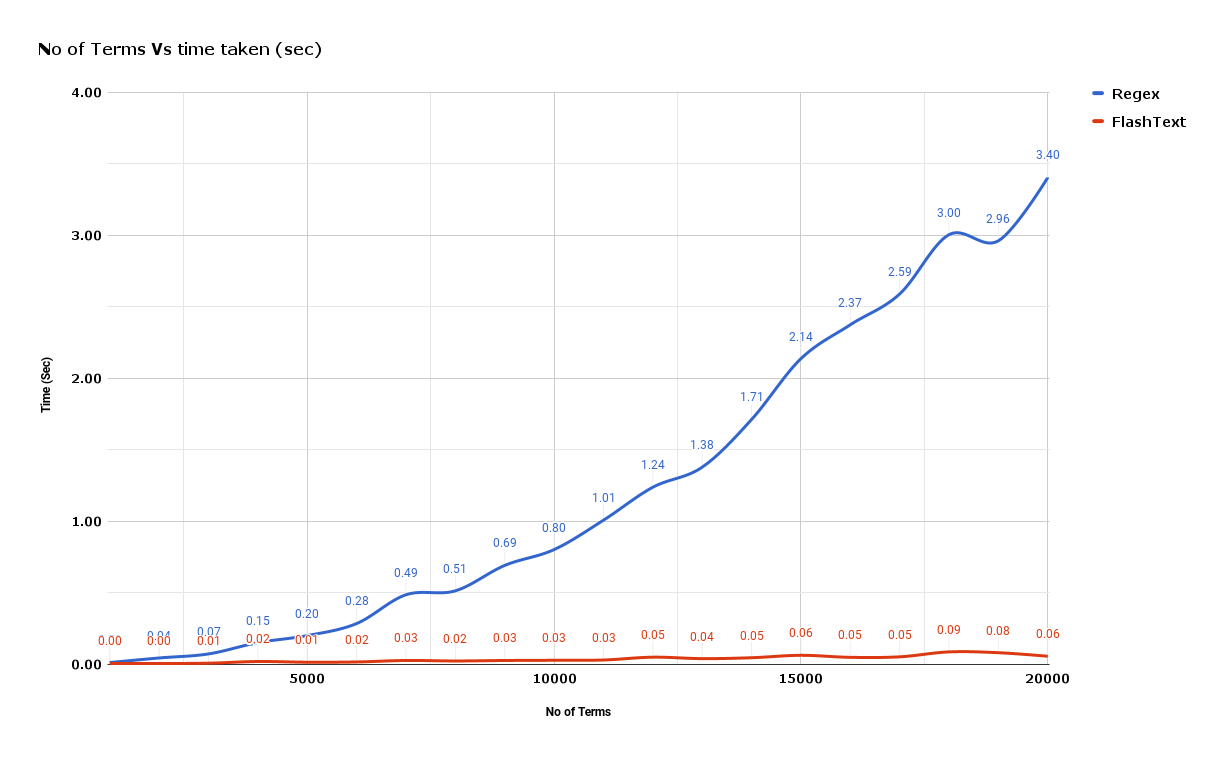
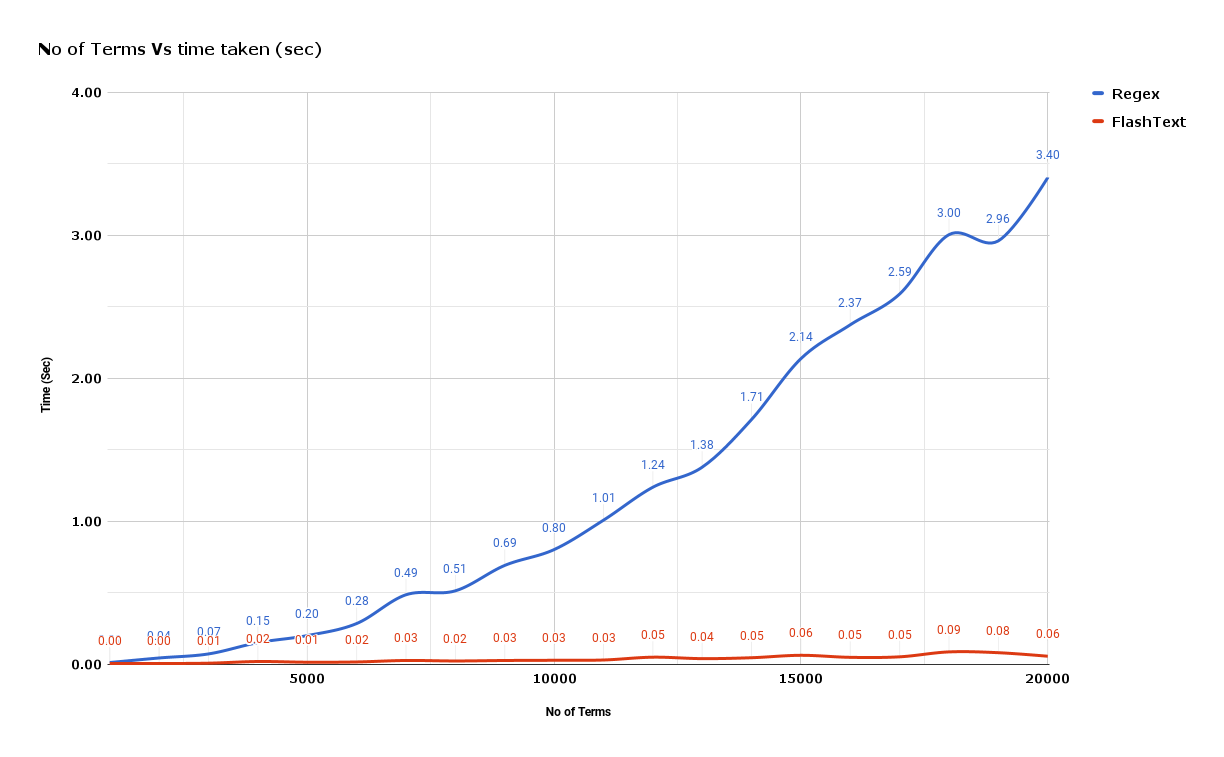
Cleaning text data during NLP tasks often requires replacing keywords in sentences or extracting keywords from sentences. Usually, such operations are normally accomplished with regular expressions, but it could become cumbersome if the number of terms to be searched ran into thousands.
The best part of FlashText is that the runtime is the same irrespective of the number of search terms.
Demo :
Replace keywords
keyword_processor.add_keyword('New Delhi', 'NCR region') new sentence = keyword_processor.replace_keywords('I love Big Apple and new Delhi.')
new_sentence'I love New York and NCR region.'
For more examples refer the FlashText Documentation .
Pandas Profiling
Exploratory Data Analysis is often a very important process in Data Science. Pandas Profiling is a library that allows us to generate useful reports and visualizations with relative ease.
In short, what pandas profiling does is save us all the work of visualizing and understanding the distribution of each variable.
Example to Illustrate how Pandas Profiling works
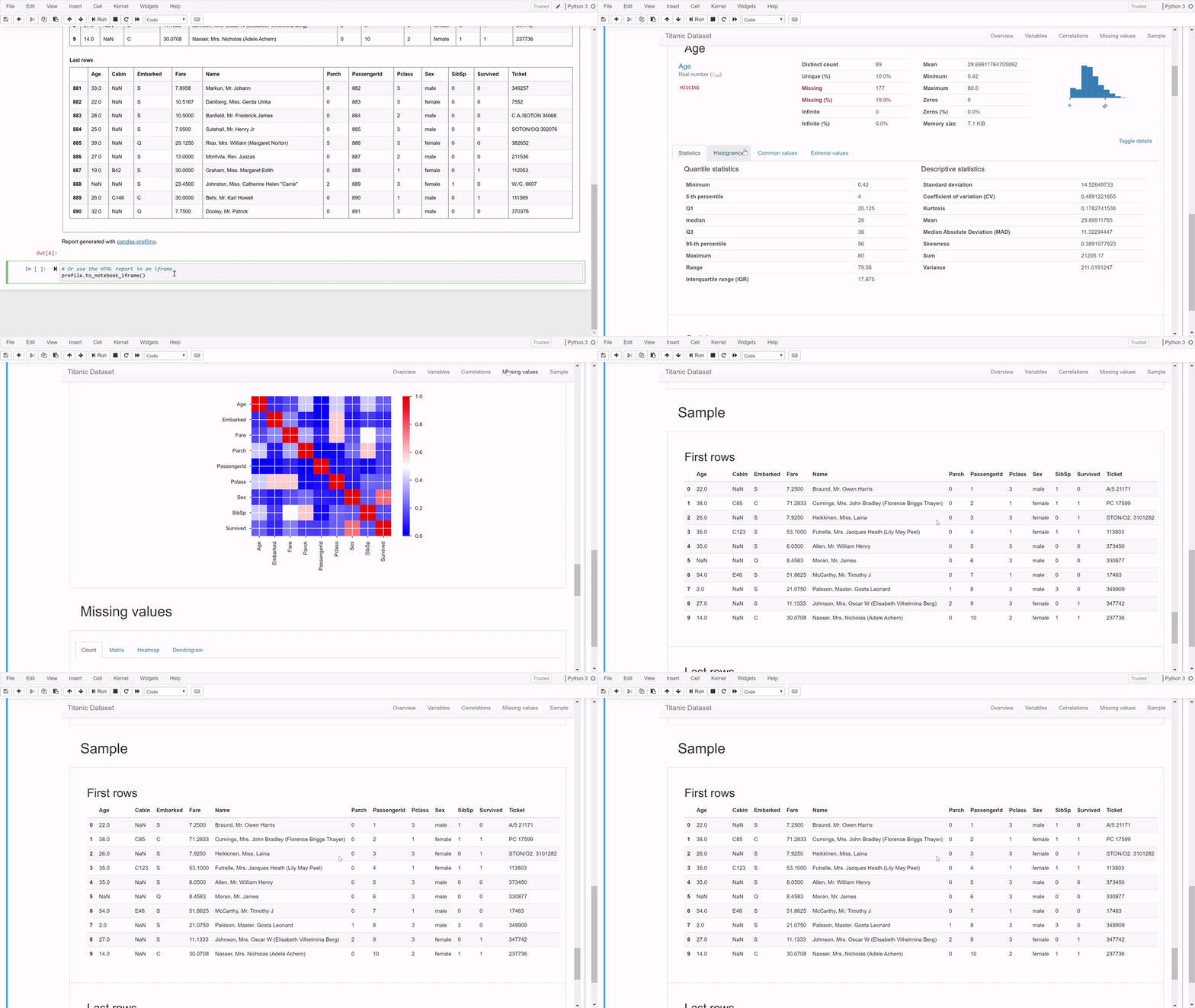
As you can see the report generated is very useful and you will be amazed that it is generated with one line of code. Apart from the charts that Pandas profiling plots for us, it also shows the no of NaN values per column, number of zeroes per column and lot of other summary statistics.
How to install and use?
First step is to install it with this command:
pip install pandas-profilingThen we generate the report using these commands:
from pandas_profiling
import ProfileReport
prof = ProfileReport(df) print(prof)
That’s all for this blog post! I’ll see you in the next one.
Do subscribe to the newsletter if it helps you in any way!